
Meeting Room AV Systems: Audio, Video, Presentation and Video Conferencing
Meeting and training rooms where everyone can hear and see clearly, remote participants are genuinely part of the meeting, and everything starts at a touch.
In short
Meeting room AV systems (audio-visual systems) are the displays, microphones, speakers, cameras and control components that let everyone in meeting, training and conference rooms hear the speaker, see the content and hold video conferences with remote participants. Sora Yazılım provides AV system installation in İzmir and its surroundings.
What is a meeting room AV system and what is it for?
A meeting room AV system (audio-visual system, conference room AV) brings a room's displays, microphones, speakers, cameras and presentation devices into one coordinated set-up, so the meeting is clear and easy to run for everyone in the room and joining remotely.
Problems in a meeting room rarely come from one device; they come from parts that do not work well together: remote participants cannot hear the speaker, text on the screen cannot be read from the back row, and connecting takes up the first minutes of the meeting. An AV system plans these parts together around the room's size, acoustics and use, and brings them under a single control panel.
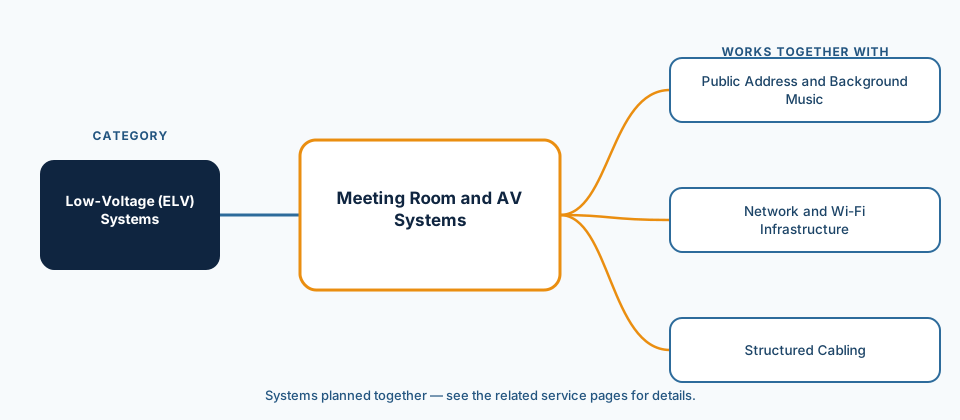
This page focuses on meeting, training and conference rooms. Building-wide background music and zoned announcements are covered on the public address and background music systems page. Reliable video conferencing also depends on network capacity, which is covered under network and wireless infrastructure.
Which rooms and needs are meeting room AV systems suited to?
Any space where several people regularly talk together, give presentations or meet remote participants benefits from a planned AV set-up.
- Small meeting rooms and huddle rooms: meetings for a few people and quick video calls.
- Boardrooms: a long table, many speakers and a need for recording.
- Training and seminar rooms: spaces where the trainer moves around and participants need to read the content.
- Conference halls and auditoriums: a stage, a lectern, large audiences and streaming or recording.
- Hotel meeting rooms: rooms that can be divided and combined, with different event layouts.
- School and university classrooms: presentations, remote teaching and lecture capture.
What types of meeting room AV system are there and what are the components?
The AV set-up depends on the size and use of the room: a single video conferencing device may be enough for a small room, while a large conference hall needs separate microphones, an audio processor, several displays and central control.
| Room type | Video | Audio | Control and conferencing |
|---|---|---|---|
| Small meeting room | A single wall-mounted display | An all-in-one device combining camera, microphone and speaker | Wired or wireless screen sharing, video conferencing |
| Boardroom | A large display or dual displays | Table or ceiling microphones, ceiling speakers, audio processor | Speaker-tracking camera, touch control panel |
| Training and seminar room | Projector or large display, with extra displays if needed | Wireless lapel and handheld microphones, room speakers | Presentation source switching, lecture capture or remote participation |
| Conference hall | LED wall or projector, stage monitor | Lectern and stage microphones, room sound system, mixing desk | Video routing, recording and streaming, operator control |
Which set-up suits a room is decided in the design according to its size, seating layout, acoustics and the video conferencing platform in use. The main components of the system are:
- Displays and projectors: the display size is chosen so that the viewer furthest away can read the content.
- Microphones: table, ceiling, wireless lapel and handheld microphones, or conference (delegate) microphones in rooms where speakers take turns.
- Speakers: ceiling or wall speakers, positioned so sound is spread evenly across the room.
- Audio processor (DSP): echo cancellation, automatic microphone mixing and level adjustment.
- Camera: a fixed wide-angle camera or a steerable camera that follows the speaker.
- Presentation and signal distribution: wired and wireless screen sharing, video switchers and extenders.
- Control panel: manages displays, audio, cameras and, if needed, blinds and lighting from one place.
- Hearing support: an induction loop (hearing loop) for hearing aid users where needed.
What does our meeting room AV service scope include?
Our AV service starts with understanding how the room is used and ends with a handover in which users can operate the system comfortably; the detailed scope of each project is written into the proposal after the survey.
- Survey: room dimensions, seating layout, acoustic conditions, existing equipment and the video conferencing platform in use.
- Plan for display size and viewing distance, microphone and speaker positions and camera angles.
- Equipment selection, bill of materials and procurement.
- Cable infrastructure, display and projector mounting, installation of ceiling and table devices.
- Audio processor tuning, echo cancellation and level balancing; camera and video routing settings.
- Control panel scenes: start meeting, present, video conference, shut down.
- Testing with a trial meeting, user training and a short user guide.
- Optional periodic maintenance, firmware updates and support.
How does a meeting room AV project run?
The process starts with a discovery call, continues with a design based on how the room will be used and ends with a real trial meeting.
- Discovery call: we discuss how the room is used, who takes part and the problems you are having.
- Site visit: dimensions, ceiling construction, windows, lighting, acoustics and cable routes are inspected.
- Design: display, microphone, speaker and camera positions and the control scenes are drawn up.
- Proposal: the equipment list, scope and installation schedule are put in writing.
- Installation: the infrastructure is prepared and the devices are mounted and connected.
- Tuning and testing: audio and video are adjusted and a trial meeting is held with a remote participant.
- Training and handover: users are shown the system, and the connection diagram and user guide are handed over.
Which factors affect the choice and the cost?
The cost of an AV system is driven mainly by room size and number of participants, display type, microphone count, video conferencing needs and the level of control; an exact figure can only be given after the survey.
We do not publish price ranges: two rooms of the same size can need very different equipment depending on their acoustics and video conferencing expectations.
- Room size, seating layout and the longest viewing distance.
- Display type: single display, dual displays, projector or LED wall.
- Number and type of microphones: table, ceiling or conference microphones.
- Need for video conferencing, recording or live streaming.
- Need for acoustic treatment, and the ceiling or wall construction.
- Level of control: a simple keypad or a touch panel with scenes; divisible room layouts.
Which standards apply?
In meeting room design, AVIXA's display image size standard is a common reference for display size and viewing distance, and IEC 60118-4 for induction loops installed for hearing aid users.
Display size, microphone coverage and sound levels are calculated in the design according to the room's dimensions and use. Meeting recordings and camera images can contain personal data; for projects in Türkiye where recordings will be made, check the resources of the Personal Data Protection Authority (KVKK) on Türkiye's Personal Data Protection Law (KVKK) for topics such as privacy notices and retention, and review the details with your legal adviser.
- ANSI/AVIXA V202.01:2026 (formerly ANSI/InfoComm V202.01:2016) — Display Image Size for 2D Content in Audiovisual Systems; used to determine the display size and viewing positions required for the type of content.
- IEC 60118-4:2014+AMD1:2017 — Electroacoustics, hearing aids, Part 4: Induction-loop systems for hearing aid purposes, system performance requirements.
How does a meeting room AV system work with other systems?
Although an AV system looks self-contained within the room, it depends on the network, the cabling and the building systems; if these connections are planned from the start, there is no need to open up walls and add cables later.
The data links needed for displays, cameras and control devices, and the connections in table boxes, should be included in the cabling plan: structured cabling. Extenders that carry video from the table to the display, or between rooms, over twisted-pair cable also use this infrastructure.
Blinds, lighting and HVAC scenes can also be run from the control panel; compatibility with the building's control system is assessed in the design. For the overall picture of the building's other systems, see the low-voltage (ELV) systems page.
Which questions do we ask during discovery?
The right AV set-up depends less on the equipment list than on understanding how meetings actually happen in the room, so we work through the following questions together during discovery.
- What is the room mostly used for: face-to-face meetings, presentations, training or video conferencing?
- What is the maximum number of participants, and is the table layout fixed or does it change?
- Which video conferencing platform do you use, and do participants connect with their own laptops?
- Are there known acoustic problems such as echo, hum or outside noise?
- Do you need meeting recording, live streaming or interpretation?
- Who will use the system, and should anyone be able to start it without technical support?
What are the common mistakes in meeting room AV installation?
Most complaints about meeting rooms stem not from equipment quality but from choices that do not suit the room and from complicated operation.
- Choosing the display by budget rather than viewing distance: participants in the back row cannot read tables and text.
- Ignoring acoustics: in rooms with glass and hard surfaces, echo makes even a good microphone hard to understand.
- Not planning microphone coverage: a speaker at the far end of the table does not reach remote participants.
- Leaving operation complicated: several remotes and a tangle of cables use up the first minutes of every meeting on connecting.
- Involving the network and IT team late: video conferencing devices may not work on installation day because of security and network settings.
- Accepting handover without a trial meeting: echo and level problems only show up in a real call.
Related services
- Public Address and Background MusicSpeakers and amplifiers for background music and general or zoned announcements.View
- Network and Wi-Fi InfrastructureSwitch and access point installation, coverage planning, VLAN and guest network setup.View
- Structured CablingIn-building copper horizontal cabling, racks, patch panels, labelling and testing.View
Frequently asked questions
How should we choose the display size for a meeting room?
Why do people on the other end hear an echo in video calls?
Can an AV system be added to an existing meeting room?
How does AV work in rooms that can be divided and combined?
How does the discovery call work?
Which areas do you cover for meeting room AV installation?
Sources
- AVIXA, “ANSI/AVIXA V202.01:2026 (formerly ANSI/InfoComm V202.01:2016) — Display Image Size for 2D Content in Audiovisual Systems”, 2026. https://store.avixa.org/CPBase__item?id=a13f200000C2iQeAAJ&locale=en
- IEC, “IEC 60118-4:2014+AMD1:2017 — Electroacoustics — Hearing aids — Part 4: Induction-loop systems for hearing aid purposes — System performance requirements”, 2017. https://webstore.iec.ch/en/publication/798
Meeting room AV request
Including the number of rooms, approximate dimensions, number of participants and the location speeds up the first conversation.
- Free discovery call
- No commitment; the quote is prepared after the survey.
- Service area
- İzmir and its surroundings (districts such as Menemen and Selçuk, plus Manisa and Aydın)
- Your personal data
- Form details are processed to answer your request; see the privacy notice for details. Privacy notice
Let us talk about your meeting room project
Whether it is a new room, an upgrade or video conferencing problems, share details of your room and how it is used, and we will start the discovery process together.